android ADT 是Eclipse的android 開發插件
【android android軟件開發】安裝方式:
- 首先打開eclipse
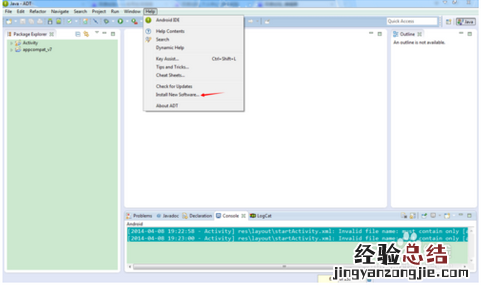
- 打開后進入界面點擊help菜單 點擊install new software
- 打開后name隨便輸 location輸入https://dl-ssl.google.com/android/eclipse/ 然后點擊確定如果https://dl-ssl.google.com/android/eclipse/慢的話可以換成http://dl-ssl.google.com/android/eclipse/ 然后點確定
- 確定以后把所有選上 點next一直點下一步 更新完成 反正出現什么都選擇確定就是了
即已經集成ADT CDT SDK Eclipse 用戶不需要再做任何的配置
解壓就可以用了, 集成開發環境IDE請查看附件