
RDB關(guān)系數(shù)據(jù)庫(kù)(Relational Database,RDB)
創(chuàng)建名為VPC for RDS的vpc兩個(gè)可用區(qū),兩組公內(nèi)網(wǎng)
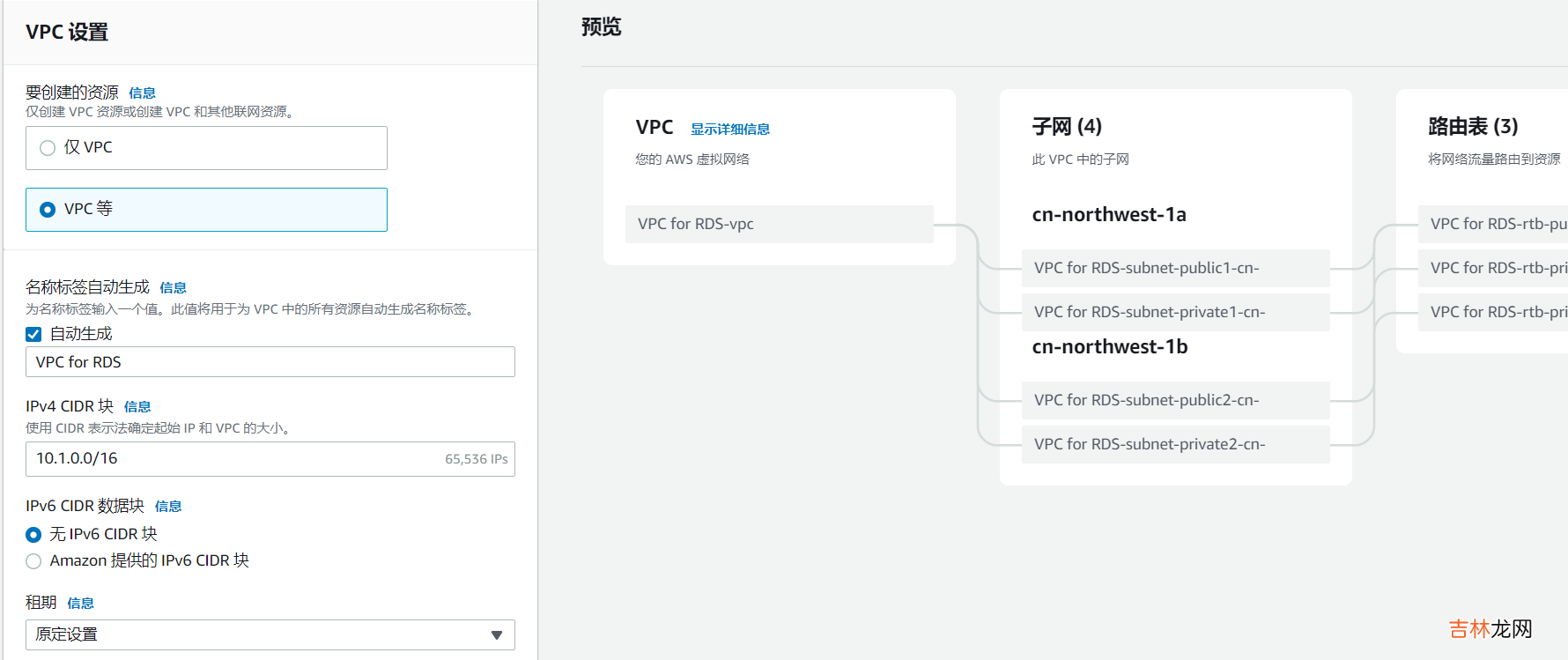
文章插圖
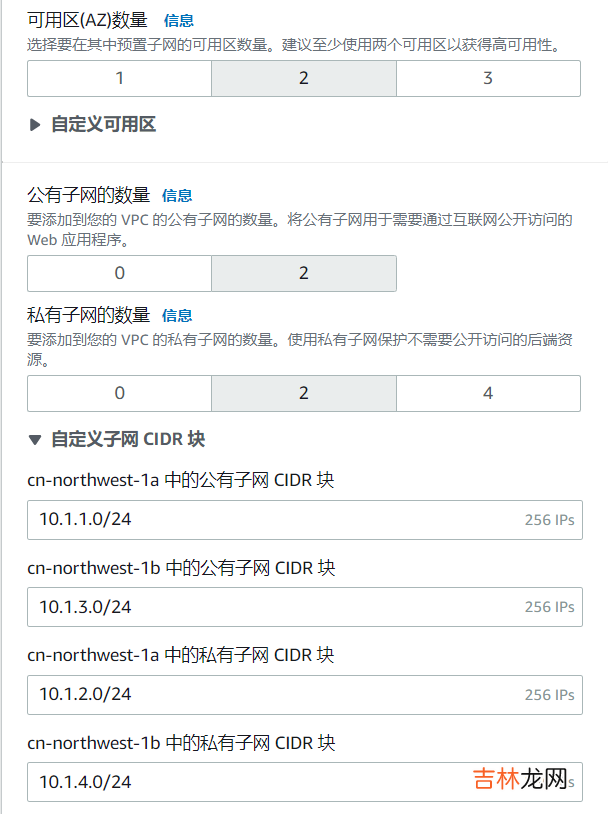
文章插圖
創(chuàng)建安全組
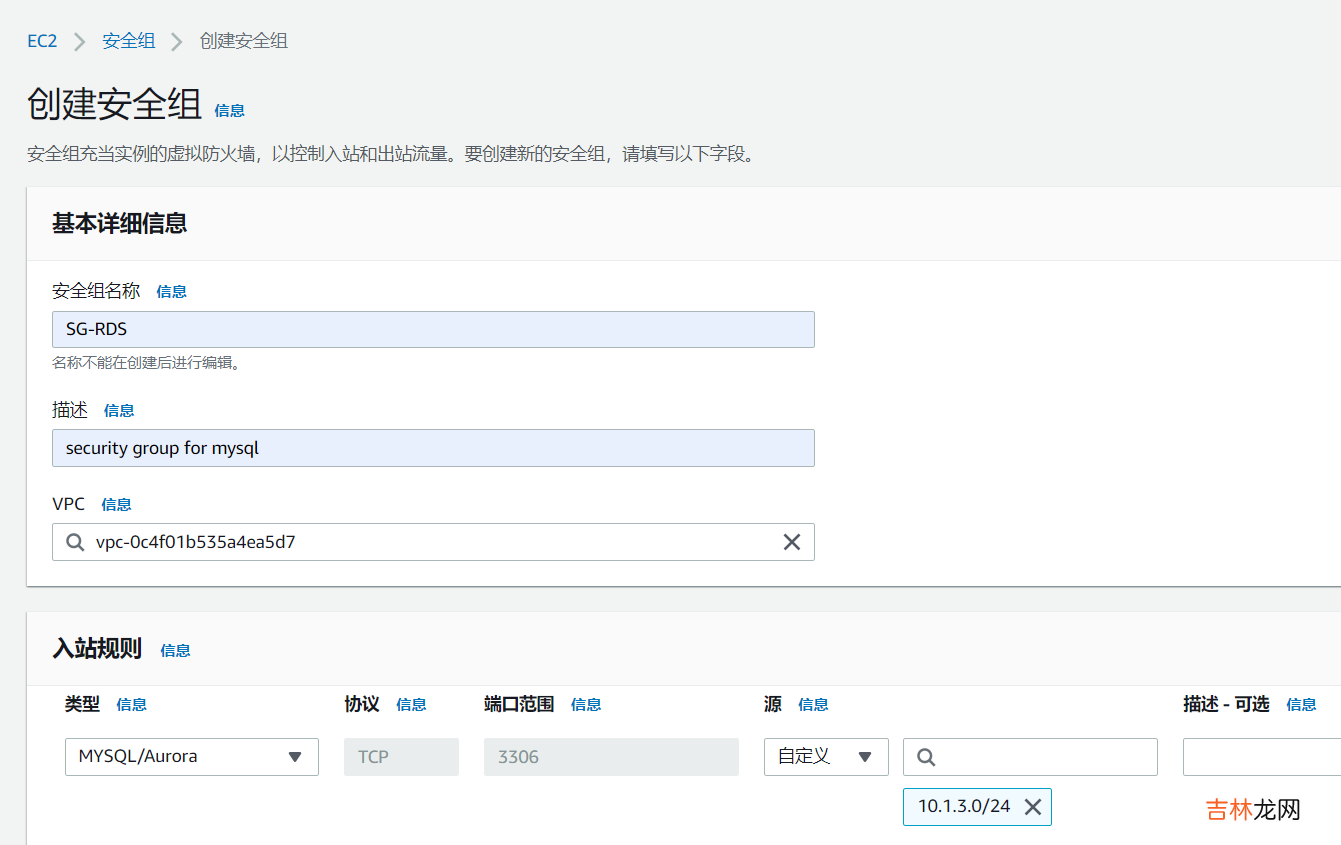
文章插圖
創(chuàng)建RDS數(shù)據(jù)庫(kù)實(shí)例用的數(shù)據(jù)庫(kù)子網(wǎng)組
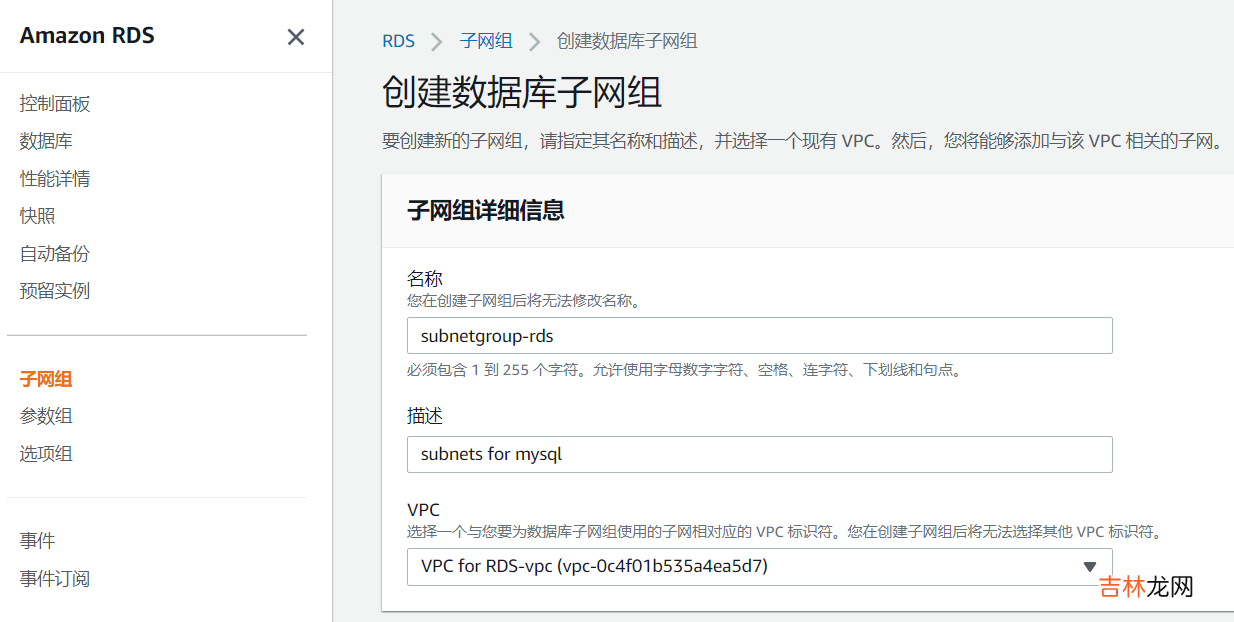
文章插圖
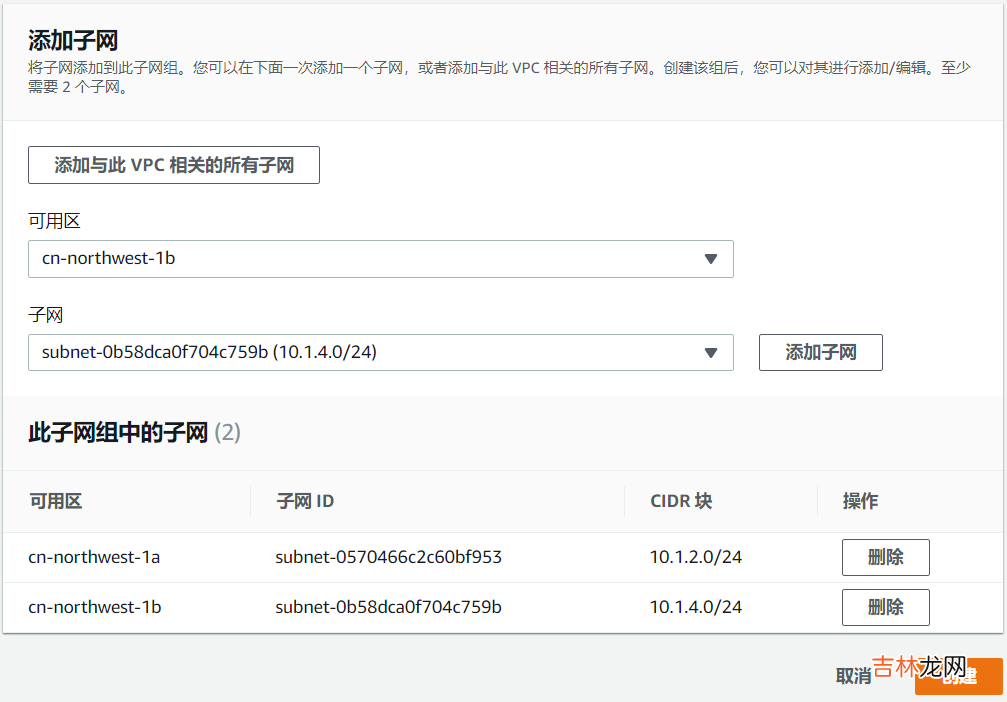
文章插圖
創(chuàng)建RDS數(shù)據(jù)庫(kù)實(shí)例
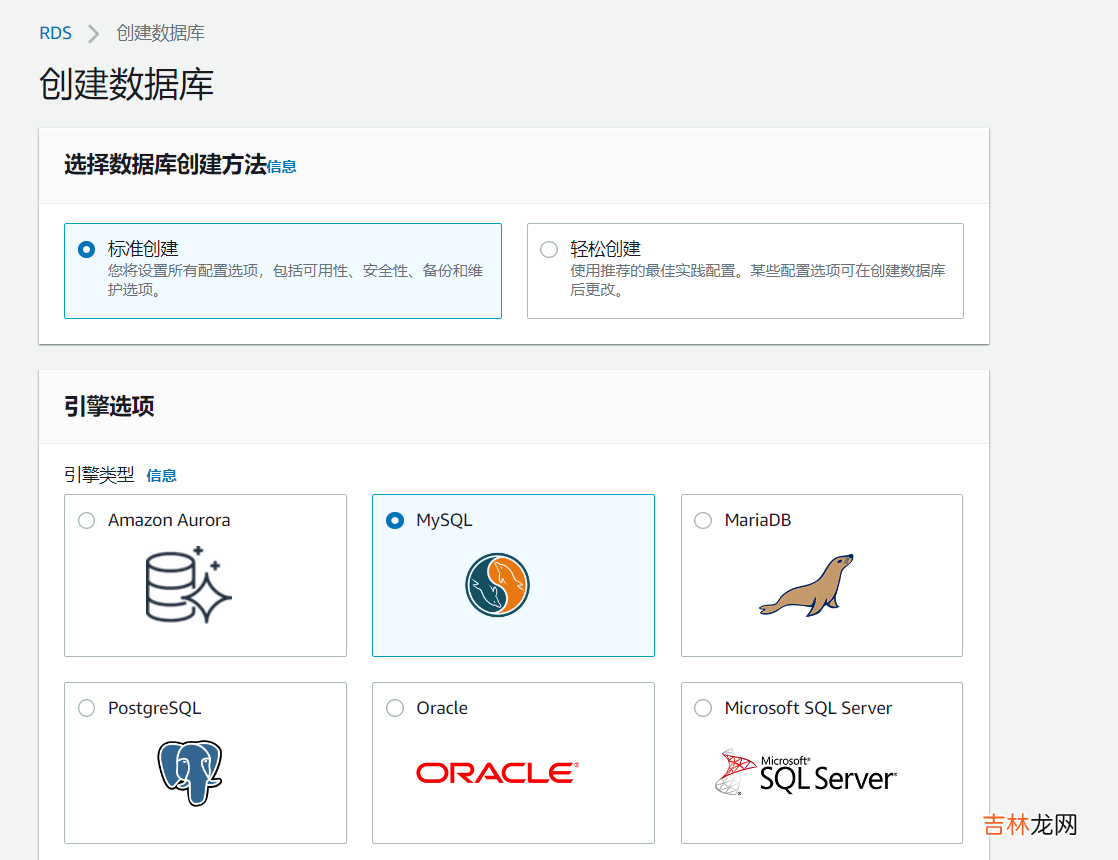
文章插圖
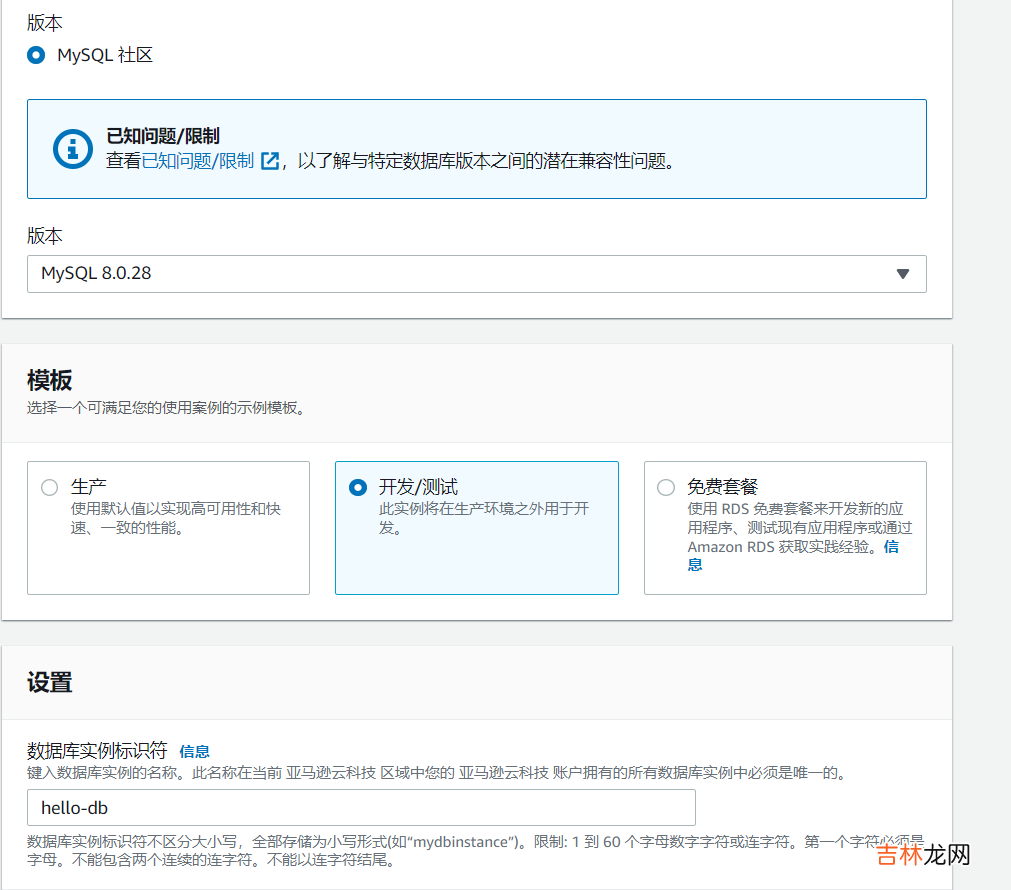
文章插圖
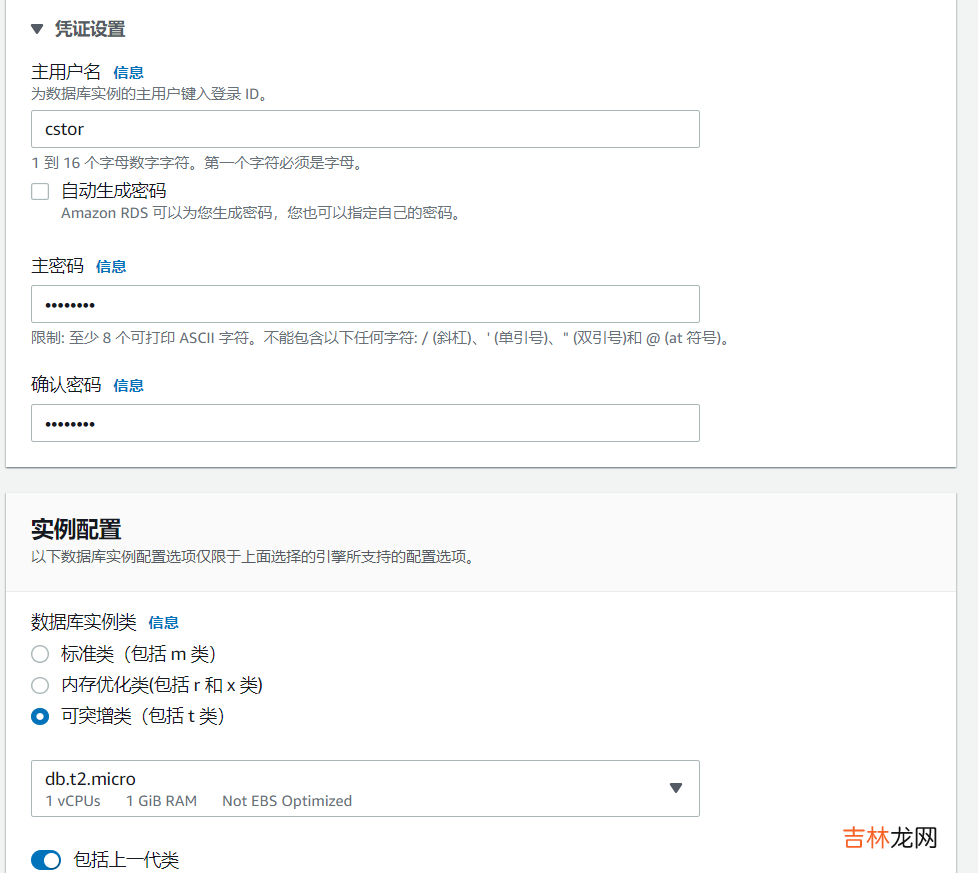
文章插圖
【多可用區(qū) 亞馬遜云 RDB數(shù)據(jù)故障轉(zhuǎn)移】
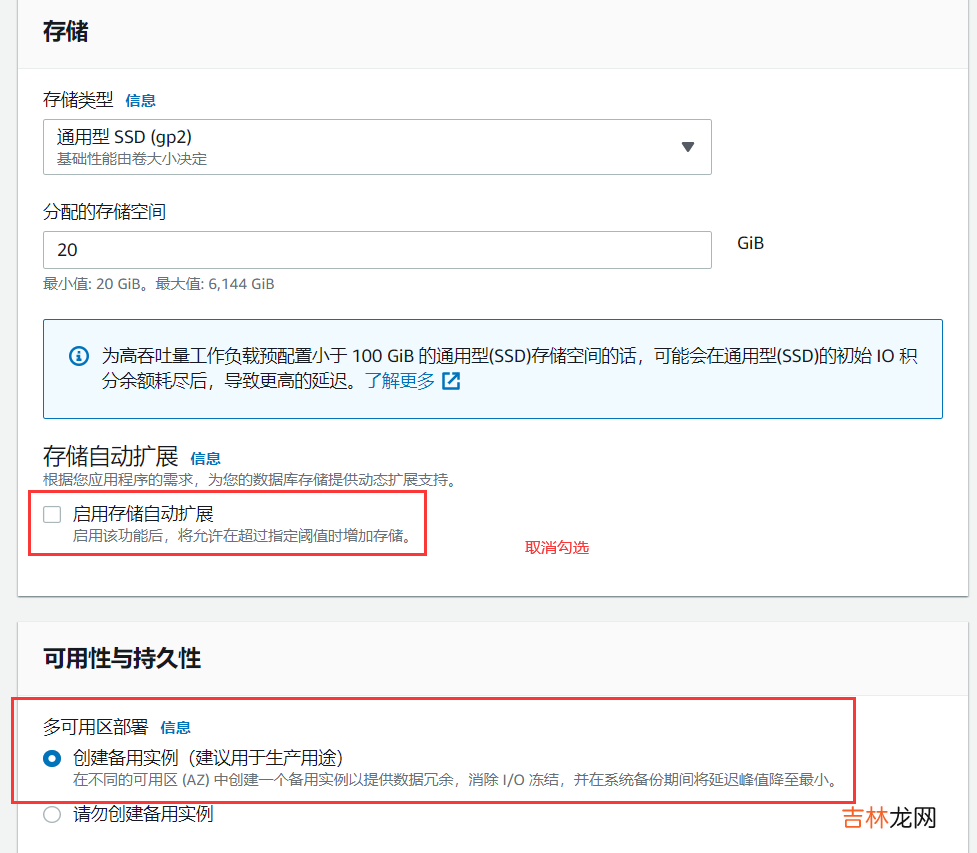
文章插圖
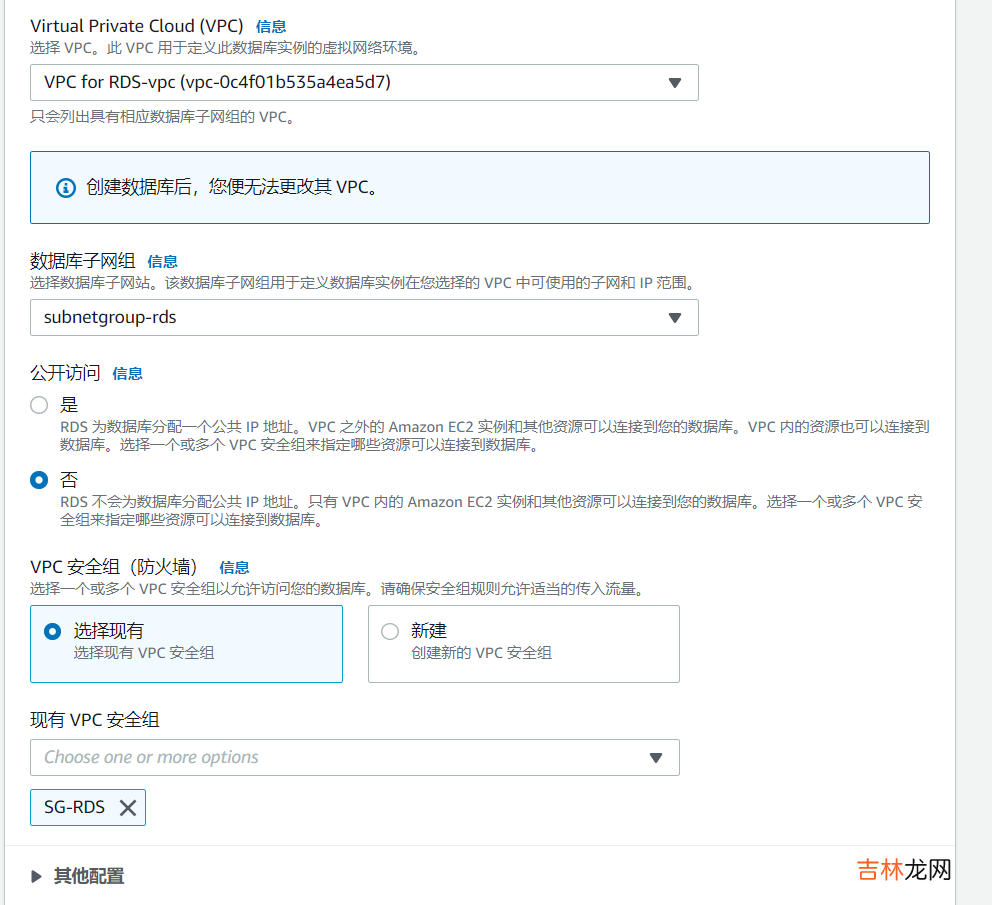
文章插圖
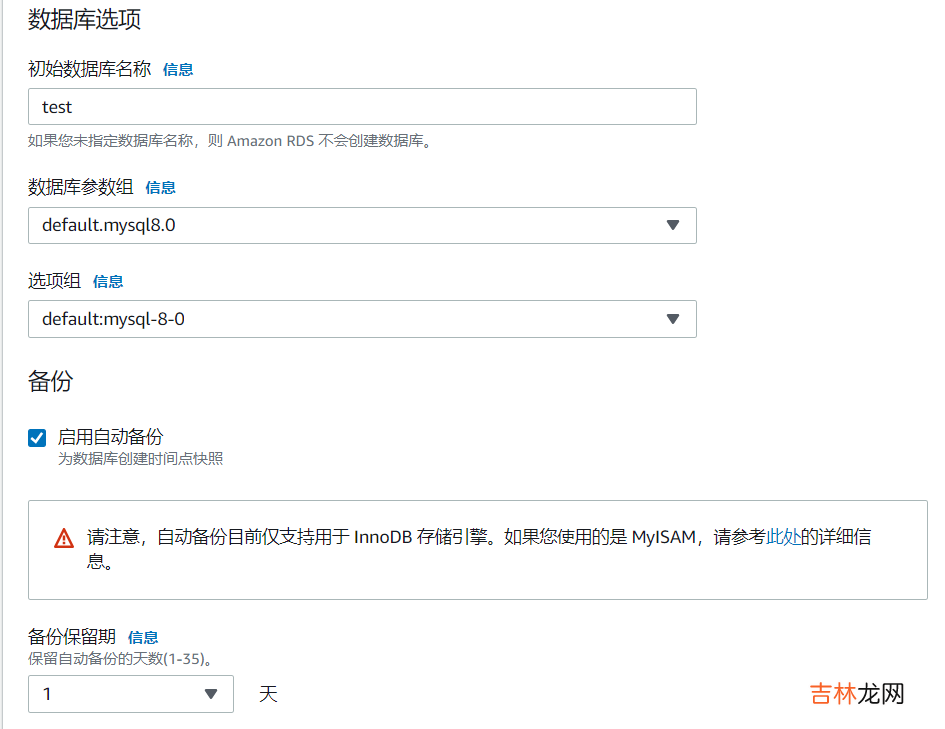
文章插圖
創(chuàng)建數(shù)據(jù)庫(kù)
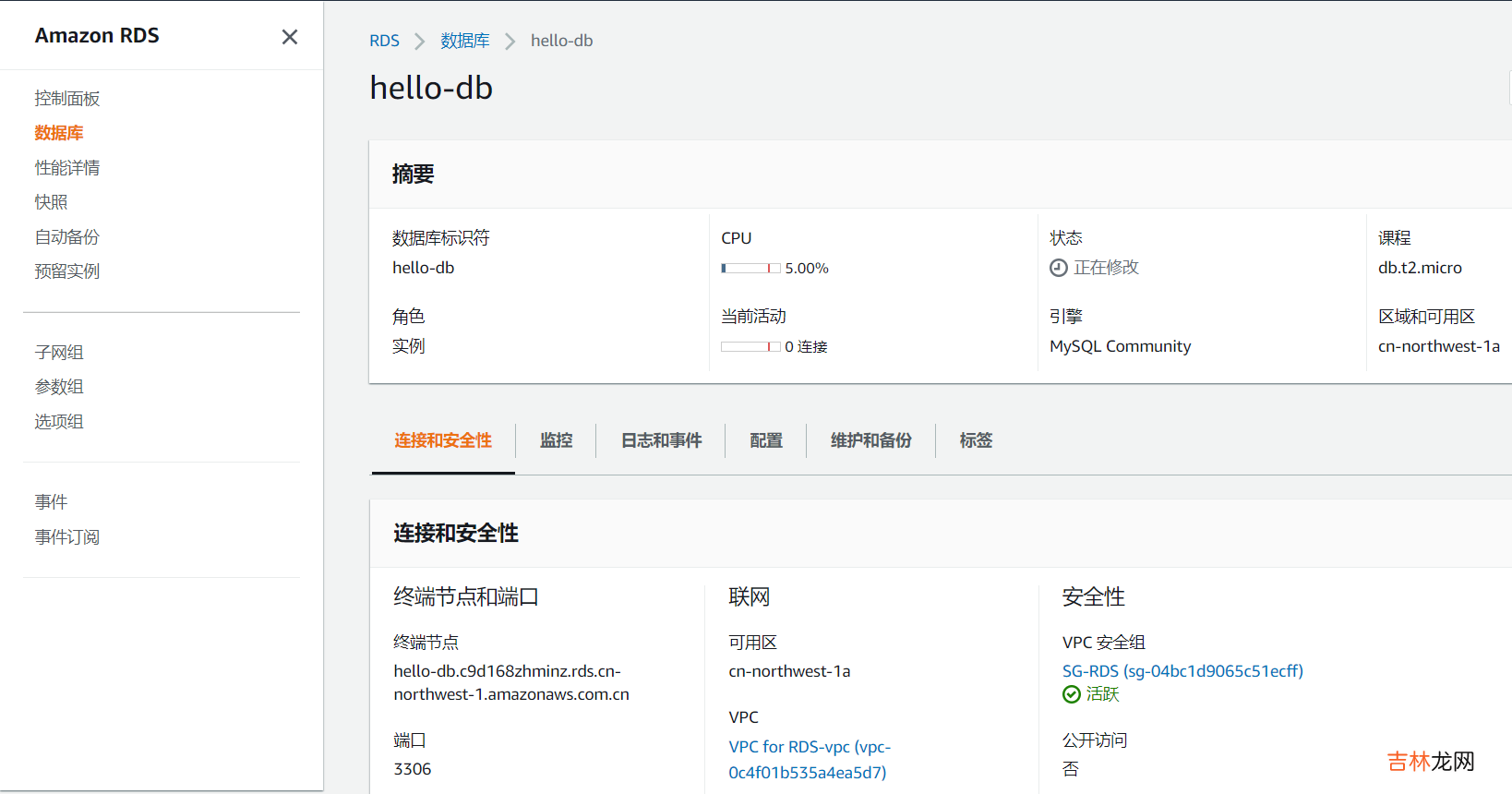
文章插圖
連接RDS數(shù)據(jù)庫(kù)實(shí)例并給數(shù)據(jù)庫(kù)test添加數(shù)據(jù)1.創(chuàng)建安全組
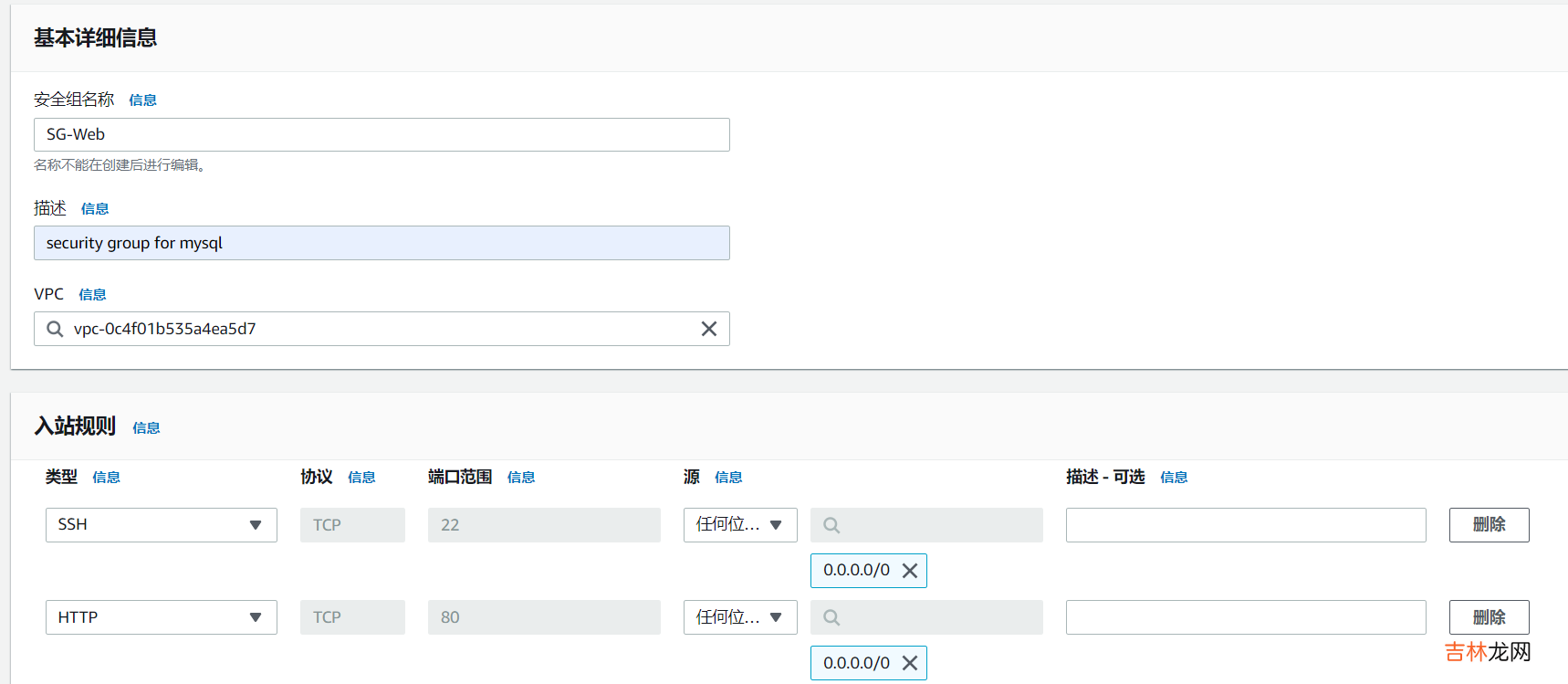
文章插圖
2.創(chuàng)建用來連接數(shù)據(jù)庫(kù)實(shí)例的EC2
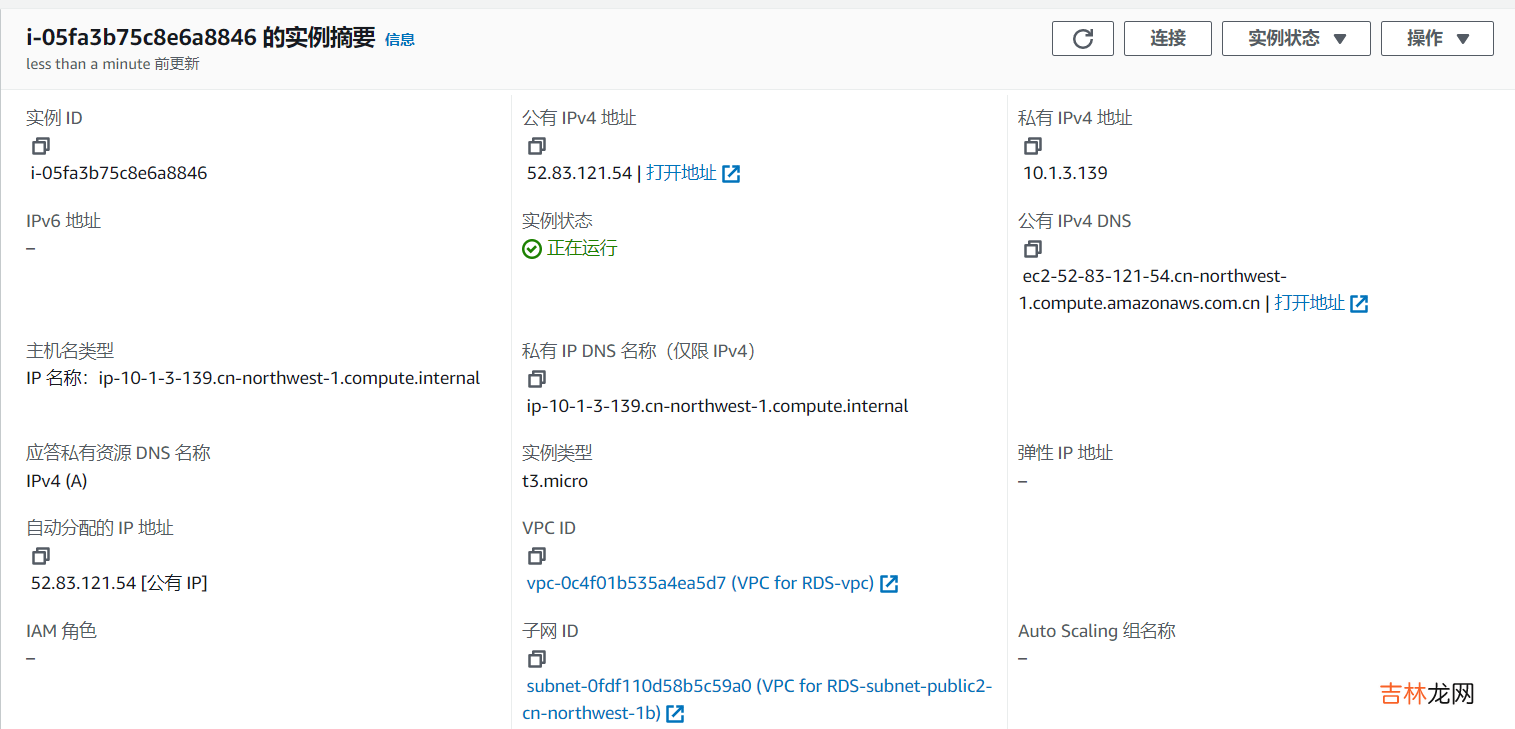
文章插圖
選擇vpc for rds那個(gè)vpc的public subnet2,因?yàn)閙ysql的安全組只允許這一個(gè)網(wǎng)段,然后自動(dòng)分配公有IP
3.連接并修改數(shù)據(jù)庫(kù)復(fù)制endpoint,去到ec2的終端連接數(shù)據(jù)庫(kù)
[ec2-user@ip-10-1-3-139 ~]$ sudo -i[root@ip-10-1-3-139 ~]# yum -y install mysql
配置數(shù)據(jù)庫(kù)
[root@ip-10-1-3-139 ~]# mysql -h hello-db.c9d168zhminz.rds.cn-northwest-1.amazonaws.com.cn -u cstor -p12345678Welcome to the MariaDB monitor. Commands end with ; or \g.Your MySQL connection id is 19Server version: 8.0.28 Source distributionCopyright (c) 2000, 2018, Oracle, MariaDB Corporation Ab and others.Type 'help;' or '\h' for help. Type '\c' to clear the current input statement.MySQL [(none)]>MySQL [(none)]>MySQL [(none)]> use testDatabase changedMySQL [test]> create table user (name varchar(20), address varchar(20), primary key (name));Query OK, 0 rows affected (0.10 sec)MySQL [test]> show tables;+----------------+| Tables_in_test |+----------------+| user |+----------------+1 row in set (0.00 sec)MySQL [test]> insert into user (name, address) values ("mqy12", "wuhan" );Query OK, 1 row affected (0.01 sec)MySQL [test]> select * from user;+-------+---------+| name | address |+-------+---------+| mqy12 | wuhan |+-------+---------+1 row in set (0.00 sec)MySQL [test]>部署web應(yīng)用上傳文件
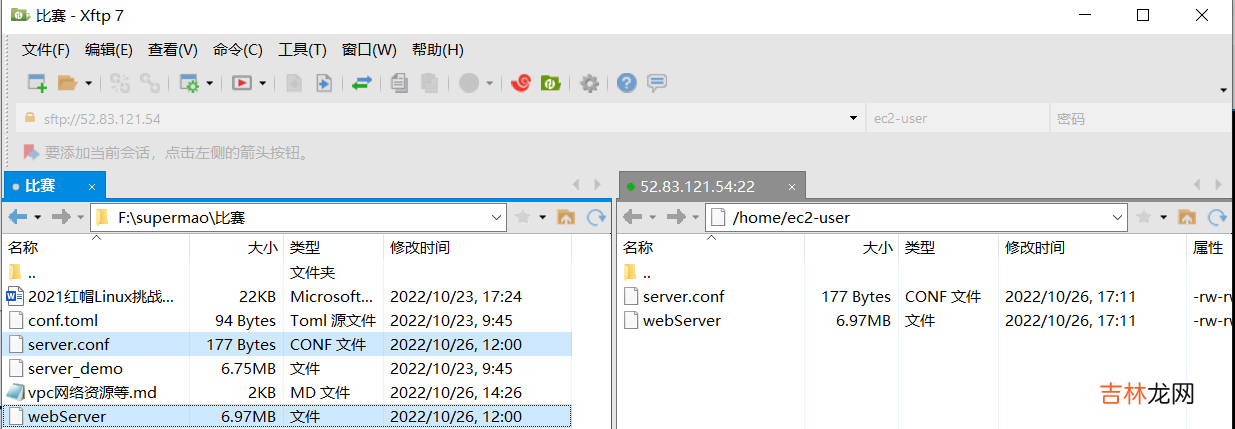
文章插圖
部署
[root@ip-10-1-3-139 ~]# cd /home/ec2-user/[root@ip-10-1-3-139 ec2-user]# lsserver.conf webServer[root@ip-10-1-3-139 ec2-user]# chmod a+x webServer[root@ip-10-1-3-139 ec2-user]# vim server.conf[root@ip-10-1-3-139 ec2-user]# cat server.conf[mysql_server]mysql_host = "hello-db.c9d168zhminz.rds.cn-northwest-1.amazonaws.com.cn"mysql_port = "3306"mysql_user = "cstor"mysql_password = "12345678"mysql_db = "test"[root@ip-10-1-3-139 ec2-user]# nohup ./webServer &[1] 2787[root@ip-10-1-3-139 ec2-user]# nohup: ignoring input and appending output to ‘nohup.out’[root@ip-10-1-3-139 ec2-user]#[root@ip-10-1-3-139 ec2-user]# curl localhosthello mqy12, from wuhan[root@ip-10-1-3-139 ec2-user]# curl localhosthello mqy12, from wuhan[root@ip-10-1-3-139 ec2-user]# curl localhosthello mqy12, from wuhan[root@ip-10-1-3-139 ec2-user]#
經(jīng)驗(yàn)總結(jié)擴(kuò)展閱讀










- 2023年9月27日簽訂合同行嗎 2023年9月27日簽訂合同好嗎
- 2023年9月27日入職黃道吉日 2023年9月27日入職好嗎
- 接下來彎道超車的3星座 運(yùn)勢(shì)逆襲鴻運(yùn)當(dāng)頭多金多福
- 接下來這3個(gè)星座聚寶盆頂端發(fā)大財(cái) 努力工作收獲很多
- 未來21天有財(cái)神庇佑福神賜福 這幾個(gè)星座步步高升多財(cái)多利
- 近期有望逆襲 收獲最多的前3大星座
- 這四大星座身邊喜事多多財(cái)源多 從明天開始14天連續(xù)賺大錢
- 81年屬雞今年多大了2023 81年屬雞2023年運(yùn)勢(shì)發(fā)如何
- 畫江湖之不良人第三季有多少集?
- realmev11多少錢_真我v11手機(jī)多少錢